
Professional
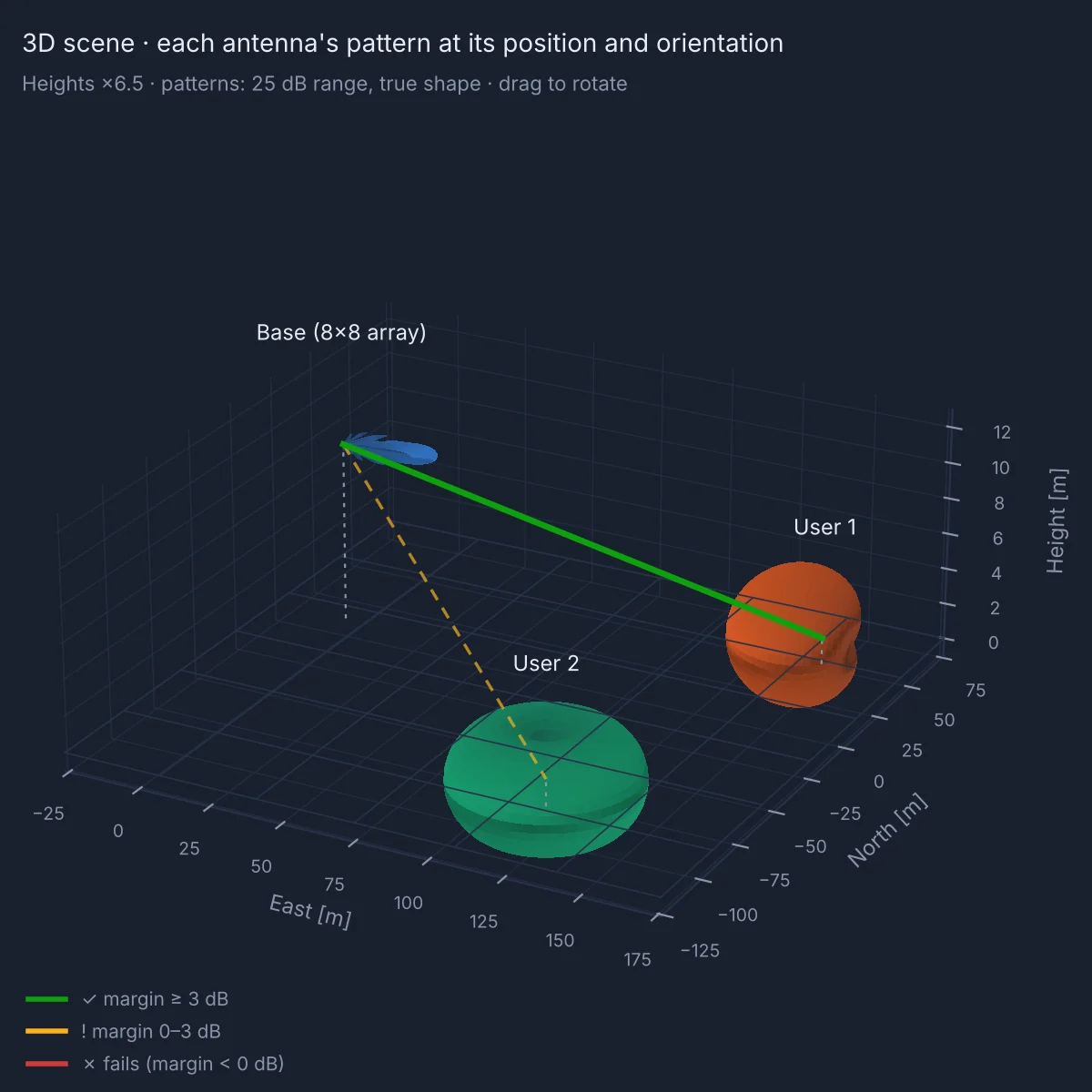
Patterns in 3D. Every antenna in the link lab is drawn where it stands and the way it points.
Subscription confirmed
Your confirmation and receipt are on their way to your inbox. As soon as the payment has cleared, a second email brings your link to the download page.
No email after a few minutes? Check the spam folder for the receipt from Lemon Squeezy.
Your download
Thank you for subscribing. Download the Setup of your plan and run it to install the app on your PC. When the app opens, create your account with the email address you subscribed with.
Windows 10 and 11, 64-bit. The first installation takes about 5 minutes and needs an internet connection. If Windows shows “Windows protected your PC”, choose More info, then Run anyway.
Antenna Calculator for Windows
47 antenna, microwave and RF calculators in one Windows app. Every result shows its equations and the pattern behind it, and in Professional the link lab tests real links between two or more antennas.
Free for 14 days, no card needed. Then from €35.99 a month, €19.99 for students.
calculators for antennas, microwave and RF, with one search box.
reference checks you can run on your own PC.
Drag across the plot to steer the beam.
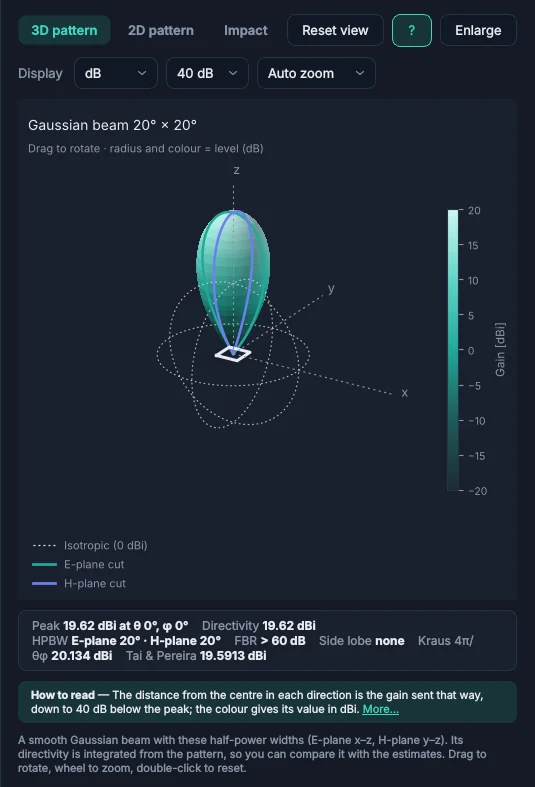
Radiation patterns
Type a value and the pattern redraws as you type. The 3D view runs on your graphics card: drag to rotate, scroll to zoom, double-click to reset.
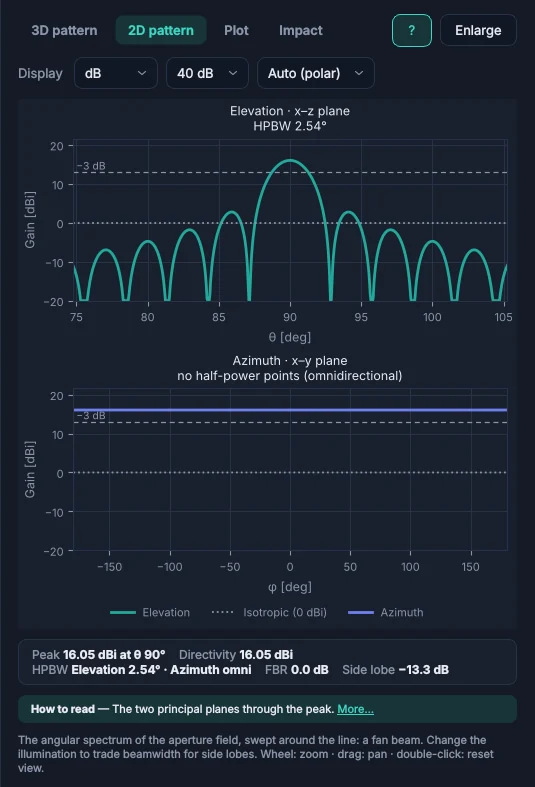
2D cuts in the E- and H-plane mark the half-power beamwidth, front-to-back ratio and side-lobe level, in dB with a 20 to 60 dB range or linear.
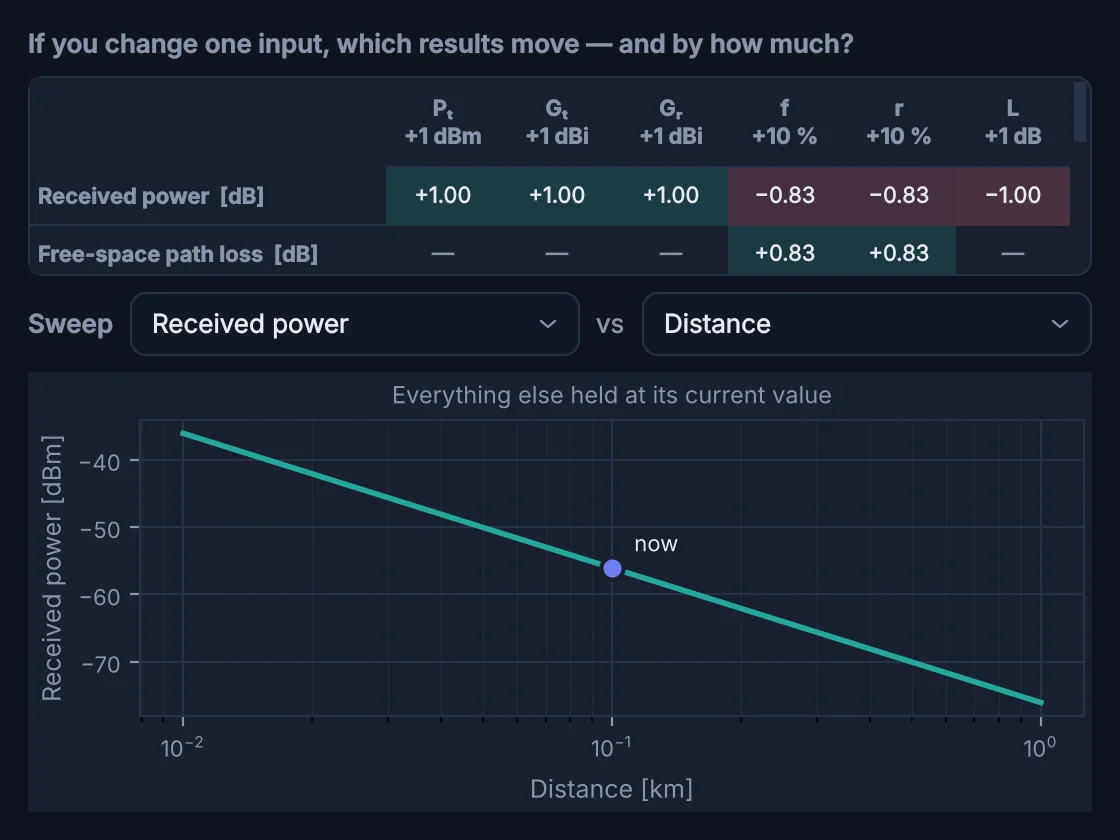
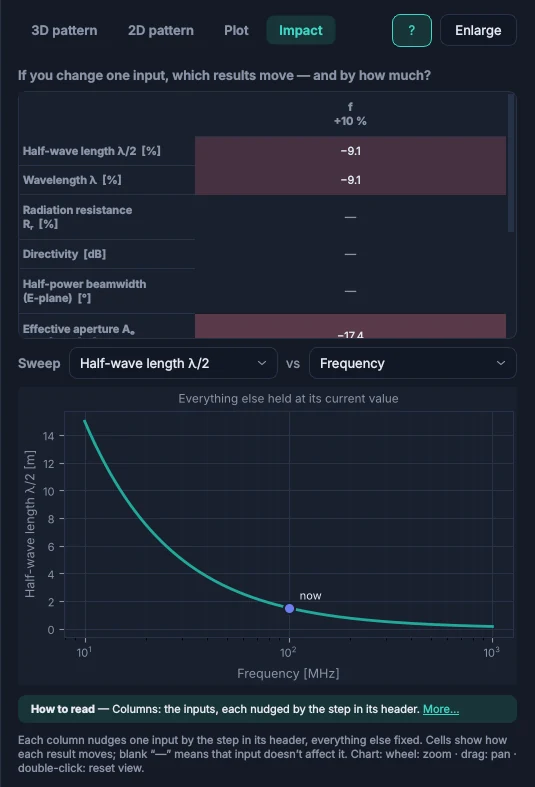
The Impact view shows how far each result moves when one input changes by 10%. A sweep plots any result against any input, with everything else held.
Type 5.8 GHz, 3e8/2.4e9 or c/915e6. Every result is saved with its inputs and exports to CSV.
Link lab Professional
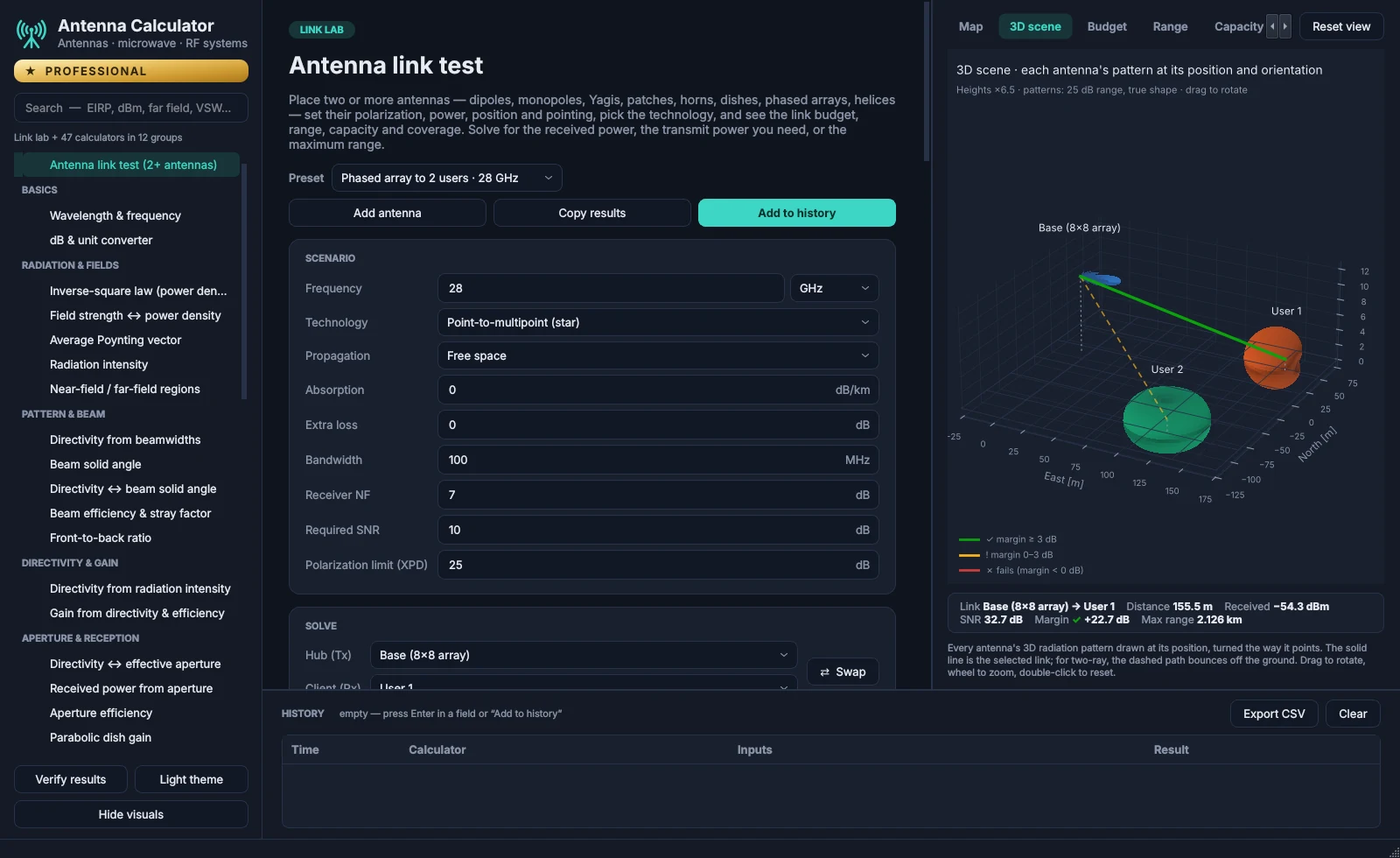
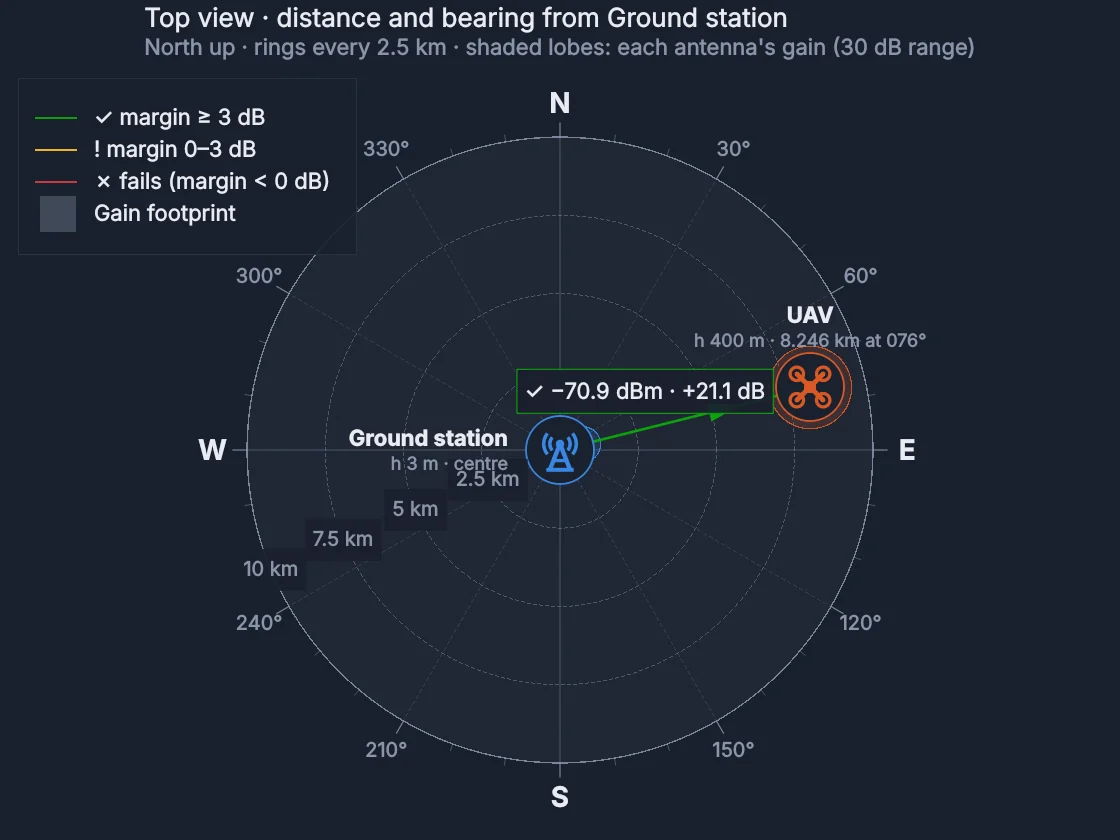
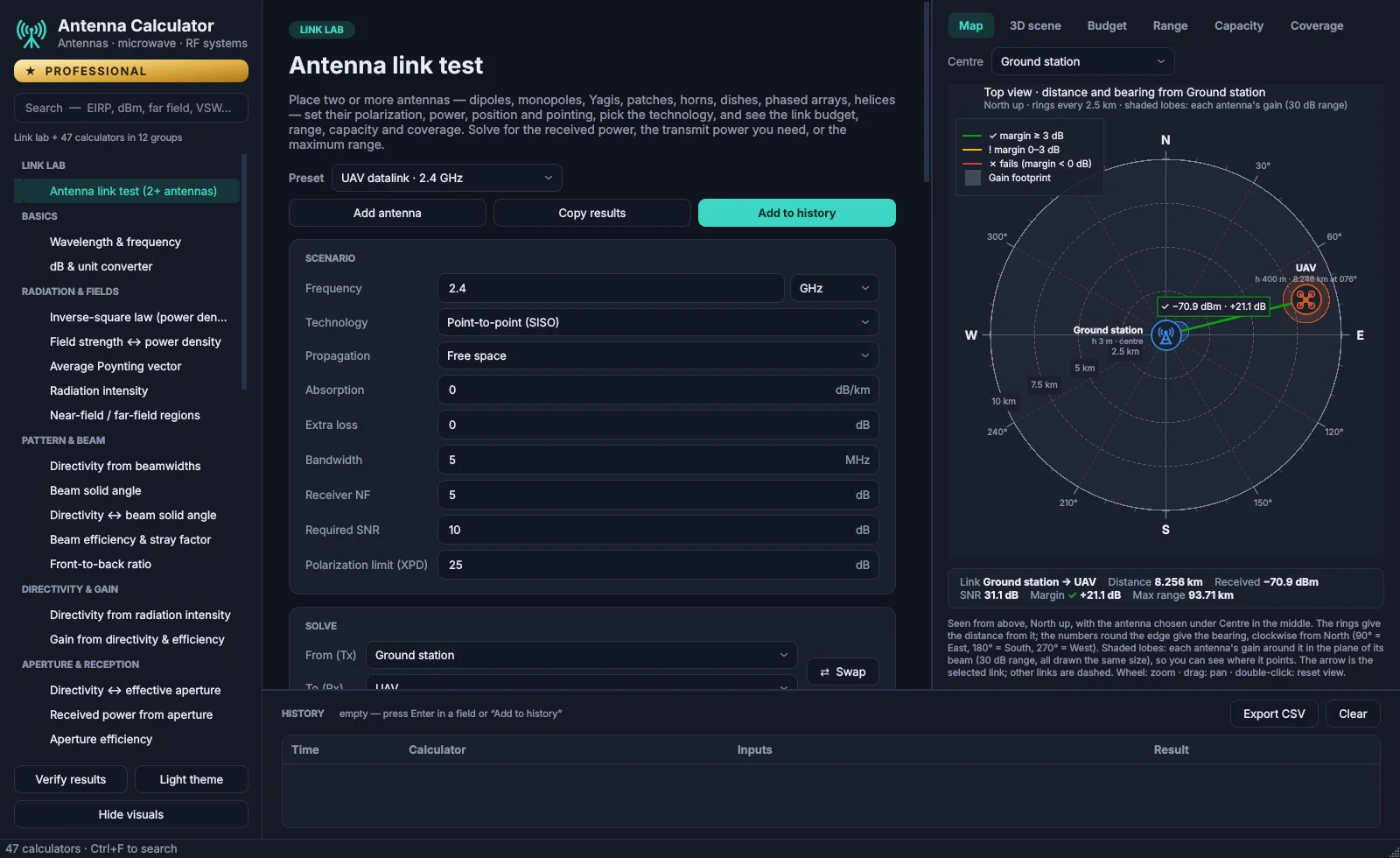
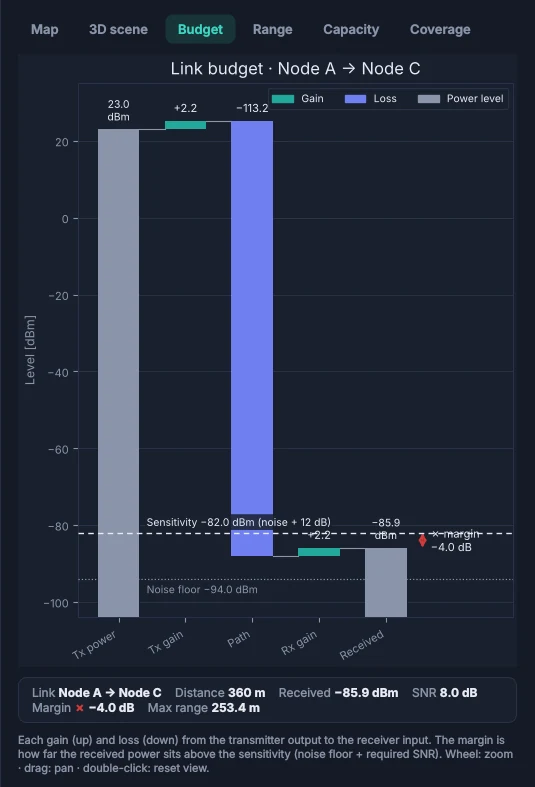
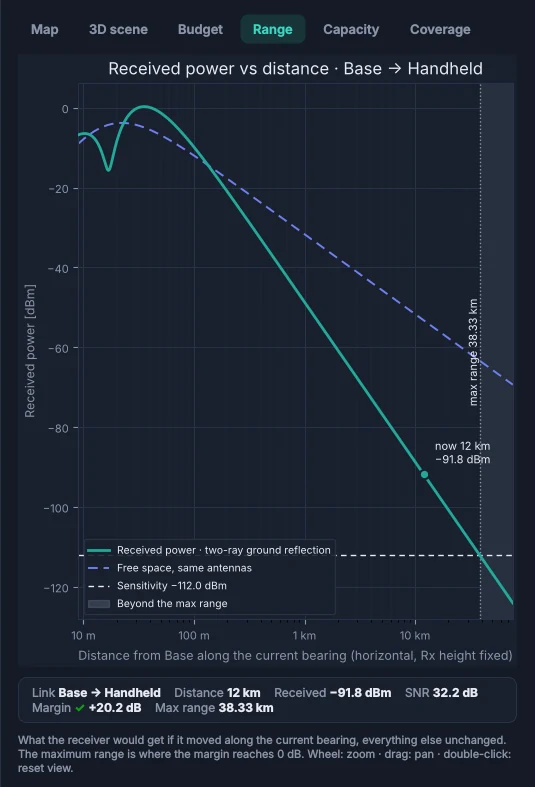
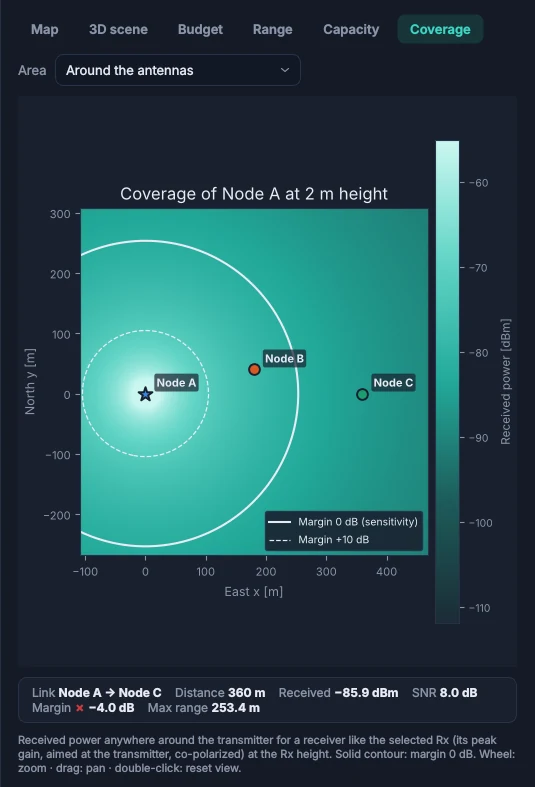
Put two or more antennas on the map and give each its type, power, height, pointing and polarization. The lab works out the budget of every link and shows whether it closes.
Microwave & RF systems
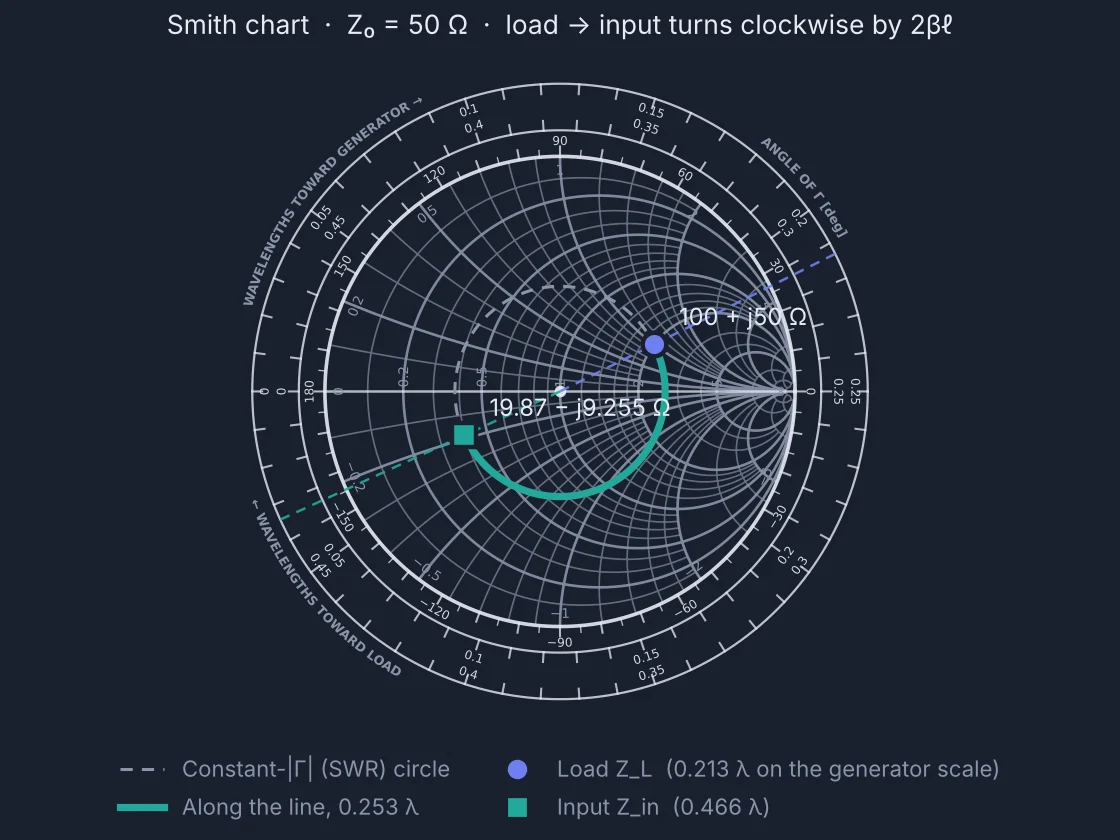
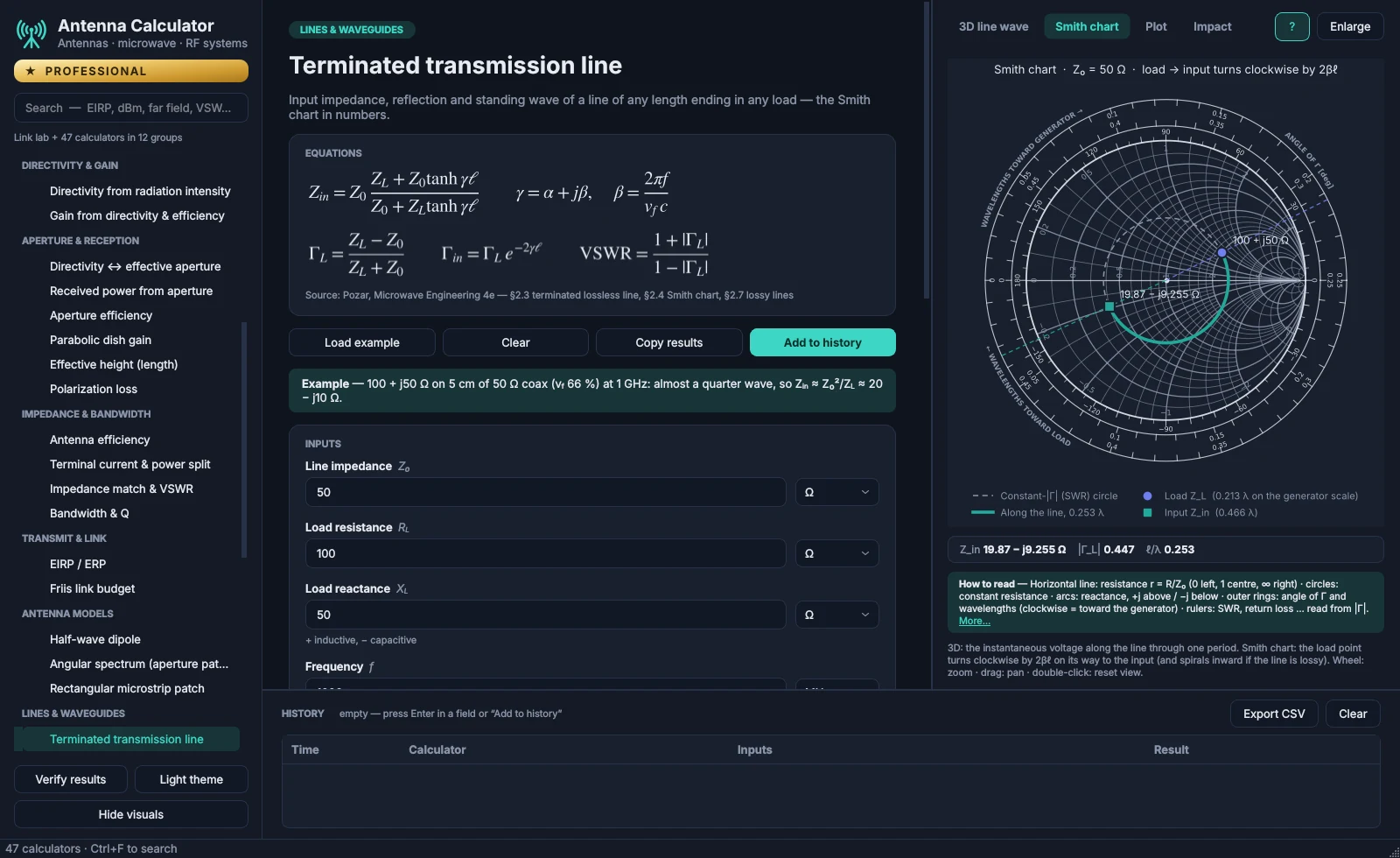
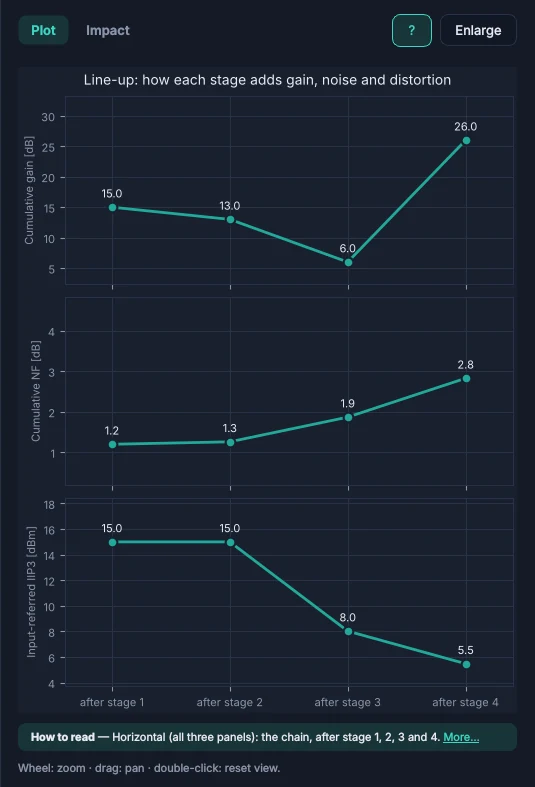
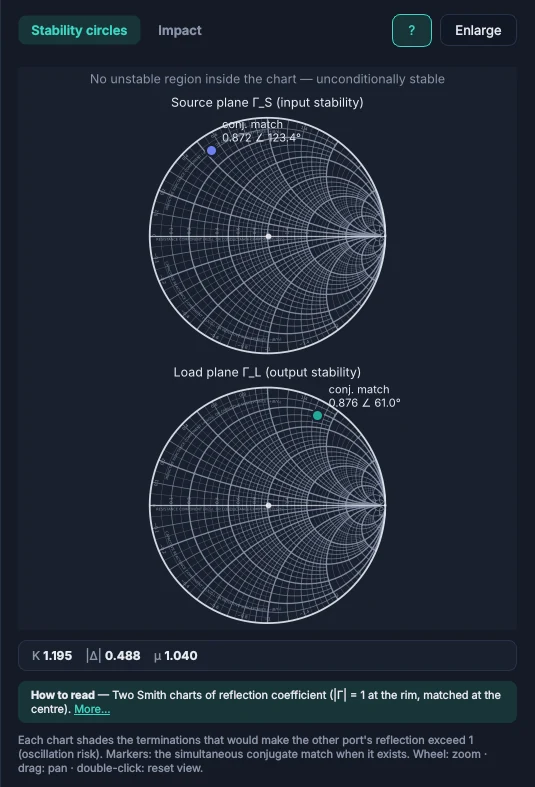
17 calculators follow D. M. Pozar's Microwave Engineering. The Smith chart, stability circles and line-up plots redraw with every input, and each calculator names the section its equations come from.
Checked results
Every calculator is tested against worked examples from the course material it is built on, from Balanis' Antenna Theory, Proakis & Salehi's Digital Communications and Pozar. Click Verify results in the app to run them on your PC. Setup runs the same checks before it replaces your installed version.
Antenna Calculator reference checks
      check                                     expected   got
PASS  Q11  Aₑ for D = 900 at 1 GHz              6.437 m²   6.4369 m²
PASS  λ/2 dipole radiation resistance           73.13 Ω    73.13 Ω
PASS  Balanis Ex 2.10 realized gain             1.6376     1.6377
PASS  Balanis Ex 14.1 patch length L            0.906 cm   0.90534 cm
PASS  Pozar 5.4 quarter-wave 10→50 Ω: Z₁        22.36 Ω    22.361 Ω
PASS  Proakis Ex 4.10-3: P_R/N₀                 84.3 dB-Hz 84.213 dB-Hz
PASS  Proakis: 16-QAM needs ≈ 13.4 dB for 10⁻⁵   13.4 dB    13.435 dB
…
117/117 checks passed.
Every calculator
Search the way you think: a quantity, a unit or a term such as VSWR, dBm, far field or G/T. The app's own search works the same way.
47 / 47
Names and descriptions as they appear in the app.
Install & update
After checkout, an email links you to the download page with the Setup of your plan.
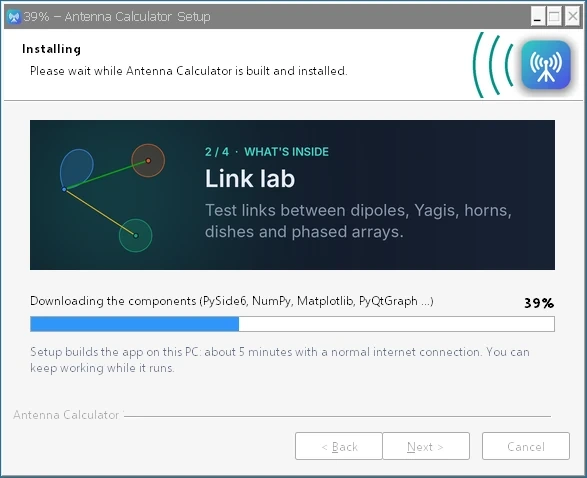
Accept the license, choose the folder and shortcuts, and watch the progress. Setup builds the app on your PC in about 5 minutes and needs no administrator rights.
When the app opens, sign up with the email address you subscribed with. A 6-digit code by email confirms it, and the app unlocks your plan.
Pricing
Every plan includes 2D and 3D radiation patterns, the impact view and the Windows Setup. Pay monthly or yearly.
Free trial
Download the app and create an account: the Student plan's 30 calculators open at once, free for 14 days. The Standard and Professional calculators are there too, with a lock, so you can see what each plan adds.
One free trial per person and per computer. When it ends, the calculators lock until you choose a plan. Nothing is charged automatically.
For students at listed universities and colleges
€19.99/ month
or €199 a year, save 17%
For engineers who design lines, matching and RF chains
€35.99/ month
or €379.99 a year, save 12%
Everything, including the link lab and what comes next
€55.99/ month
or €599 a year, save 11%
| Calculators | Student | Standard | Professional |
|---|---|---|---|
| Calculators | |||
| Basics | Included | Included | Included |
| Radiation & fields | Included | Included | Included |
| Pattern & beam | 4 of 5 | Included | Included |
| Directivity & gain | Included | Included | Included |
| Aperture & reception | Included | Included | Included |
| Impedance & bandwidth | 3 of 4 | Included | Included |
| Transmit & link | Included | Included | Included |
| Antenna models | 1 of 3 | Included | Included |
| Lines & waveguides | Included | Included | Included |
| Impedance matching | Not included | Included | Included |
| Noise, gain & linearity | Not included | Included | Included |
| Receivers & systems | Not included | Not included | Included |
| Calculators in total | 30 | 41 | 47 |
| Views and tools | |||
| Complete Smith charts and stability circles | Results only | Included | Included |
| 2D and 3D patterns, impact view, sweep, history and CSV export | Included | Included | Included |
| Link lab | Not included | Not included | Included |
| What's next | |||
| New modules, starting with phased-array design | Not included | Not included | First access |
| Lab-instrument test automation | Not included | Not included | Planned |
Student pricing
Student pricing is for students at the universities and colleges in our list of more than 24,000 institutions worldwide, with engineering and technology schools well covered. Choose yours and enter your university email address.
To confirm the address is yours, we email it a 6-digit code. The checkout then opens for that address only, and your receipt and download link go to it.
If your university is not in the list, student pricing is unfortunately not available. University lists: university-domains-list, JetBrains swot.
Choose a plan and pay on the secure Lemon Squeezy checkout. Students first confirm their university email with a code.
Your confirmation and receipt arrive straight away.
When the payment has cleared, a second email links you to the download page of this site. Install the app and create your account with the same email address.
Every plan can be cancelled whenever you like, from the link in your receipt.
Prices in euros. Payments, receipts and cancellations are handled by Lemon Squeezy.
Yes: 14 days, no card needed. Download the app, create an account and confirm your email; the Student plan's 30 calculators open straight away. The Standard and Professional calculators stay visible with a lock. The app shows how many days are left, and when the trial ends the calculators lock until you choose a plan. There is one free trial per person and per computer.
You get a confirmation with your receipt by email straight away. When the payment has cleared, a second email links you to the download page, where you download the Setup of your plan. When the app opens, create your account with the email address you subscribed with.
Yes. Every plan, monthly or yearly, can be cancelled at any time from the link in your receipt email.
Students at the universities and colleges in our list of more than 24,000 institutions worldwide, using their university email address. We email a 6-digit code to that address to confirm it is yours. If your university is not in the list, student pricing is unfortunately not available.
Lemon Squeezy runs the checkout. It takes the payment, sends your receipt and gives you the link to cancel or update your card at any time.
Everything in Standard, plus the five receiver and system calculators (receiver sensitivity, G/T, link budget with SNR margin, radar range and C/N₀) and the link lab. Professional subscribers also get new modules first, starting with phased-array design, and lab-instrument test automation is planned.
Windows 10 and Windows 11, 64-bit. The 3D views use the graphics card through OpenGL; on a PC without it, the app says so in its status bar and draws the 3D views in software.
No. Setup looks for Python 3.10 to 3.14 and, if there is none, installs Python 3.12 for your user account with Windows Package Manager. The components the app needs go into a private folder, so your own Python setup is not touched.
Setup builds the app on your PC from its source code, so the first installation downloads about 150 MB of components. After that the app needs the internet only to sign in and check your plan, and works offline for up to 14 days at a time.
Run the new Setup file. It finds the installed copy and updates it in place, so there is no need to uninstall first. If the app is open, Setup asks before closing it. If you kept the build tools, an update takes about 2 minutes.
SmartScreen shows this for programs it has not seen often yet. Choose More info, then Run anyway.
The antenna calculators follow S. Joardar's Basics of Antennas course material and C. A. Balanis, Antenna Theory, 4th edition; the microwave and RF-system calculators follow D. M. Pozar, Microwave Engineering, 4th edition, and the digital-link calculators J. G. Proakis and M. Salehi, Digital Communications, 5th edition. Each calculator shows its equations and names its source, and 117 reference checks compare the results with worked examples.
Settings › Apps › Installed apps › Antenna Calculator › Uninstall. The uninstall wizard can also remove the build tools Setup keeps for faster updates.
The student plan covers 30 calculators. For more, subscribe to Standard or Professional at the regular price and cancel the student plan from the link in its receipt.
Use the feedback form at the bottom of this page, or Send feedback in the app's account menu. Write as much as you like; only the developer reads it.
The app's interface is in English, and so are the student verification page and the emails. This website is available in English, German, French, Spanish, Dutch, Italian and Polish.
Use the feedback form at the bottom of this page, or Send feedback in the app's account menu. Write as much as you like; only the developer reads it.
Feedback
Ideas, problems, a calculator you're missing, what you use it for — write as much as you like. Only the developer reads it.